In the previous entry I spoke about the many advantages of the Pro Ads that LeadsLeap has to offer.
LeadsLeap is also a good traffic exchange, where you get credits by viewing ads, so you can use those credits for your own ads. This is the basic thing of traffic exchanges.
So, how do we create our own ads and assign them credits? First click on “Add a new ad”

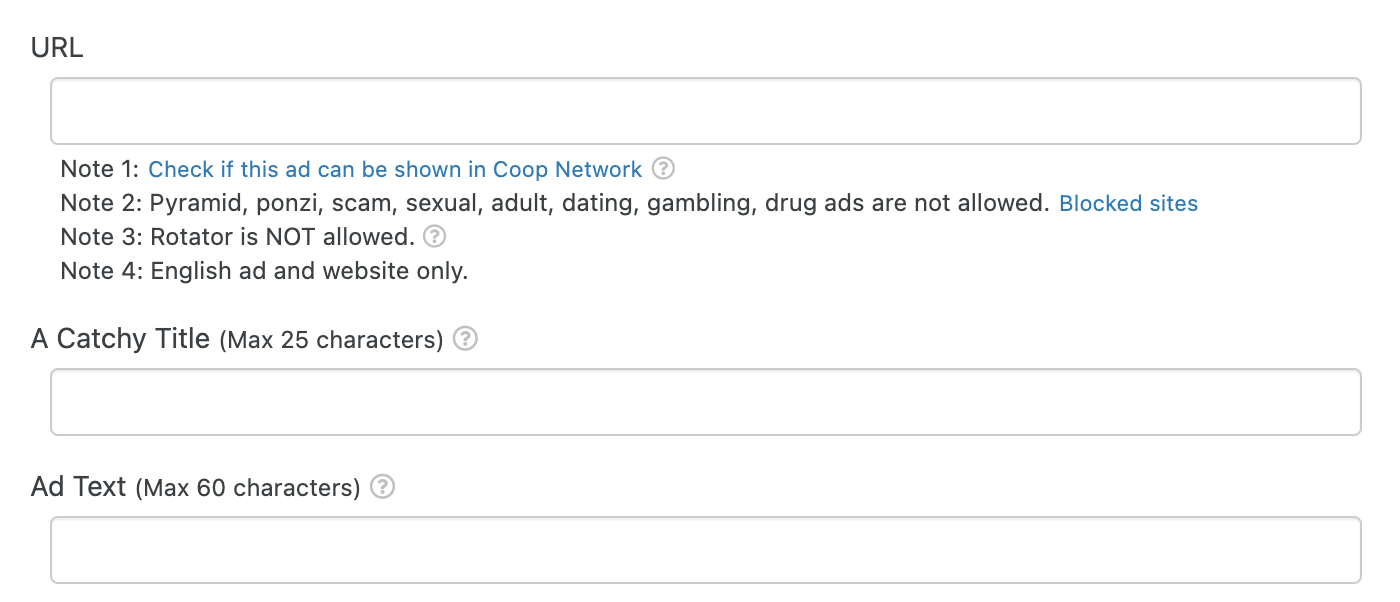
Now we fill the basic settings:
- URL is the adress you want people to visit, usually a Landing page.
- A Catchy Title
- Ad Text
- And then you can add an image for your ad
- You select a category
- And you can select a social review if you have written one for this site that you want people to visit. Only Pro members can use this excellent feature of LeadsLeap. My next entry will be dedicated to this.
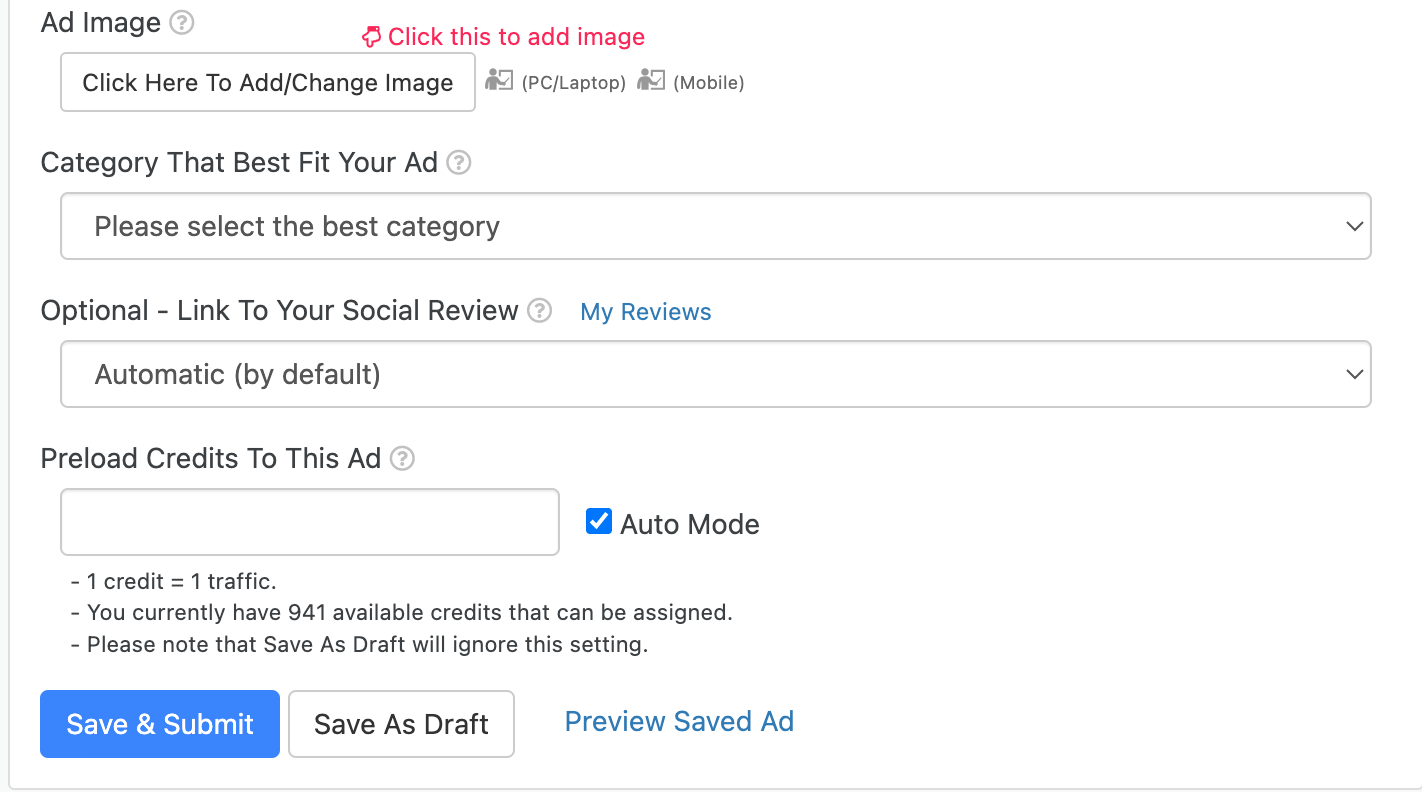
And before you click “Save & Submit”, unlike in the Pro ads of LeadsLeap that are shown all the time, in the normal credit ads you assign a number of views. These views can be obtained by viewing the ads of others in LeadsLeap.
“Auto Mode” allows for this ad to use all the credits that you have available. Personally once I had the ads that I wanted I put them on “Auto Mode” and I just surf LeadsLeap to get credits and be automatically used.
Related Articles in PTC Secret
 I found something to promote, and I have the tools to promote it, how do I get eyes on it?
 LeadsLeap Pro Ads
- Affiliate Marketplaces. Finding what to show at ClickBank and WarriorPlus.
 Affiliate Marketing. LeadsLeap gives you all the necessary tools.
 Sweeba. A way to get active referrals to your networks this 2026.